
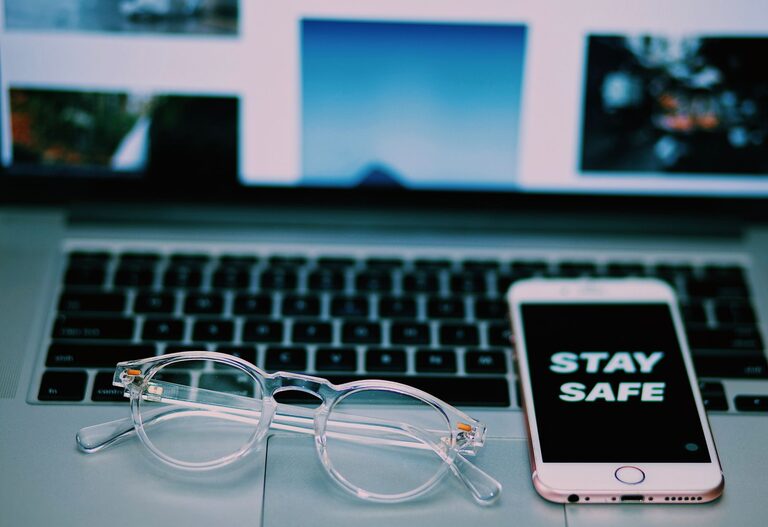
Keeping your phone and keyboard clean is essential—not only for hygiene but also to maintain the functionality and appearance of your devices. Dust, dirt, oils, and germs can accumulate on these often-used gadgets, potentially affecting performance and posing health risks. However, cleaning electronics requires care and the right approach to avoid damage. In this guide, we’ll walk you through safe and effective methods to clean your phone and keyboard.
Why Clean Your Phone and Keyboard?
Phones and keyboards are among the most frequently touched devices in our daily lives. Studies show that these surfaces can harbor bacteria and viruses, making regular cleaning important for health. Additionally, debris buildup can cause keys to stick or touchscreens to become less responsive.
General Tips Before You Start
– Power Off: Always turn off your device before cleaning to avoid accidental inputs or electrical issues.
– Unplug Accessories: Disconnect any cables and remove cases or covers.
– Use Gentle Materials: Avoid abrasive cloths or harsh chemicals.
– Minimal Moisture: Never spray liquids directly on your device; apply them to cloths instead.
—
How to Clean Your Phone Safely
What You’ll Need
– Microfiber cloth
– Distilled water
– Isopropyl alcohol (70% or less)
– Cotton swabs
– Soft-bristled brush (optional)
– Compressed air (optional)
Step-by-Step Phone Cleaning Guide
- **Remove the Case:** Take off your phone’s case to clean both separately.
- **Prepare Cleaning Solution:** Mix equal parts distilled water and isopropyl alcohol in a small bowl. This solution disinfects without damaging screens.
- **Wipe the Screen and Body:** Lightly dampen the microfiber cloth with the solution. Gently wipe all surfaces of your phone.
- **Use Cotton Swabs for Ports:** Slightly dampen a cotton swab and carefully clean charging ports, headphone jacks, and speaker meshes.
- **Dry Thoroughly:** Use a dry microfiber cloth to remove any excess moisture.
- **Clean the Case:** If your phone case is plastic or silicone, wash it with soap and water, then dry completely before reattaching.
Tips for Specific Phone Types
– Screen Protectors: Clean as you would the screen; avoid harsh chemicals that may damage them.
– Water-Resistant Phones: Extra care is still necessary to avoid liquid intrusion.
—
How to Clean Your Keyboard Safely
What You’ll Need
– Microfiber cloth
– Isopropyl alcohol (70% or less)
– Compressed air can
– Soft brush or old toothbrush
– Cotton swabs
Step-by-Step Keyboard Cleaning Guide
- **Unplug the Keyboard:** If using an external keyboard, disconnect it from your computer.
- **Shake Out Loose Debris:** Turn the keyboard upside down and gently shake to dislodge crumbs and dust.
- **Use Compressed Air:** Blow air between keys to remove particles trapped underneath.
- **Brush Between Keys:** Use a soft brush to sweep away remaining debris.
- **Prepare Cleaning Cloth:** Lightly dampen a microfiber cloth with isopropyl alcohol.
- **Wipe the Keys:** Carefully wipe the tops and sides of keys, avoiding excess moisture.
- **Clean Between Keys:** For tight spaces, use a cotton swab dipped in the cleaning solution.
- **Allow to Dry:** Ensure the keyboard is completely dry before reconnecting or powering on.
Notes for Laptop Keyboards
Laptop keyboards are more delicate and less waterproof than external keyboards. Use only slightly damp cloths and avoid compressed air at high pressure. If unsure, consult your laptop’s manual.
—
Additional Maintenance Tips
– Frequency: Clean your phone and keyboard at least once a week, or more often if used heavily.
– Avoid Eating Over Devices: Food crumbs contribute to buildup and attract pests.
– Wash Your Hands: Clean hands reduce dirt and oils transferred to your devices.
– Use Screen Protectors and Keyboard Covers: These can minimize direct contamination and simplify cleaning.
—
What to Avoid
– Harsh Chemicals: Bleach, ammonia, and window cleaners can damage screens and finishes.
– Excessive Liquids: Never pour or spray liquids directly onto devices.
– Abrasive Materials: Paper towels or rough fabrics may scratch surfaces.
– High-Pressure Air: Too strong compressed air can loosen keys or damage components.
—
Conclusion
Regularly cleaning your phone and keyboard with gentle, effective methods helps maintain hygiene and extends the life of your electronics. With just a few household supplies and mindful techniques, you can keep your devices looking fresh and functioning well. Remember to be patient, avoid harsh products, and prioritize safety by powering off your gadgets during cleaning. Taking these small steps can make a big difference in your daily tech experience.